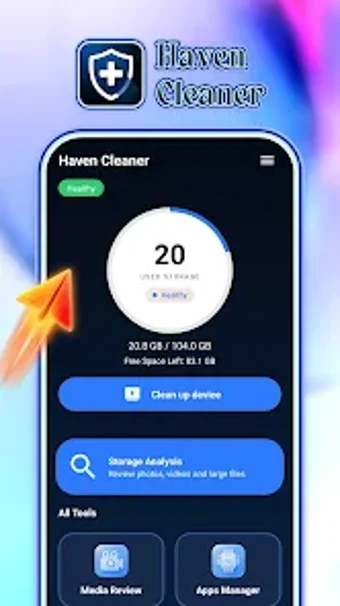
Haven Cleaner: simple Android storage manager for large files and junk
Haven Cleaner, developed by Xuxun, targets storage clutter on Android devices and serves as a mobile file maintenance assistant. The app locates junk files, large media, and redundant data to free space through targeted scans and removal tools. Key elements include junk identification, large-file management, cache cleanup and a storage analysis dashboard for quick decisions. It is aimed at Android users who want a straightforward way to reclaim and organize device storage.
What does Haven Cleaner do for device storage?
Haven Cleaner performs file inspection and removal operations that focus on three categories: junk files, large media, and redundant data. The app’s workflow presents a storage analysis dashboard that highlights space-heavy folders and lists candidate items for deletion. This approach helps the user pinpoint specific media and cached items rather than scanning only by file type, so decisions are based on visible storage impact.
Does scanning and cleanup affect device performance?
The app is described as lightweight and designed for efficient maintenance, which implies modest system impact during use. Scans concentrate on local storage and cache folders; the process runs on the device without requiring external transfers. Because scanning targets particular file groups, the user can run cleanup during normal use with limited interruption, and the app’s smaller footprint suits modern Android smartphones and tablets.
Is it safe and suitable for non-technical users?
Haven Cleaner requires storage and usage permissions to identify removable content, a common permission set for cleaning utilities. The interface emphasizes clarity so the user can review items before removal, and the app includes file browsing and organization tools for manual control. These elements mean casual users can act without deep technical knowledge, while more experienced users can inspect specific files prior to deletion.
Haven Cleaner is a practical choice for Android users managing storage
Haven Cleaner is a practical option for Android users who need focused cleanup of junk files and large media; its storage analysis and file-browsing controls support informed removals. The trade-off is that it requires standard storage permissions to operate. Practical tip: run the analysis, review the large-file list first, then clear caches to reclaim immediate space. Recommended.